Building StoryFlow
AI-Powered Book Writing from Concept to Published Novel
The Problem: Writing a Book Is Overwhelming
Every aspiring author faces the same daunting challenge: turning a vague idea into a complete, published book. The process is fragmented and overwhelming:
- You have an idea but struggle to develop it into a coherent concept
- Outlining feels like staring at a blank page—where do you even start?
- Character development is scattered across notes, documents, and your memory
- Writing chapters feels disconnected from your overall vision
- Maintaining consistency across 50,000+ words is nearly impossible
- The gap between "finished manuscript" and "published book" feels insurmountable
Existing tools either focus on just one aspect (outlining OR writing OR publishing) or they're cloud-based services that lock your creative work behind subscriptions. I wanted something different: a complete, local-first writing environment that guides authors through every phase of book creation.
The result: StoryFlow—an AI-powered desktop app that transforms book writing from chaos into a structured, achievable workflow.
The Vision: A Complete Book Writing Companion
I set out to build StoryFlow: an Electron desktop app that combines AI intelligence with a structured 5-phase workflow. The core principles:
Local-First Architecture
Your books, characters, and creative work stay on your machine. SQLite provides reliable persistence with optional iCloud sync through the Documents folder.
AI-Guided Workflow
Google Gemini powers intelligent brainstorming, outline generation, character development, and chapter writing—maintaining consistency across your entire book.
5-Phase Structure
Brainstorm → Outline → Refine → Write → Publish. Each phase builds on the previous, ensuring nothing falls through the cracks.
Series Support
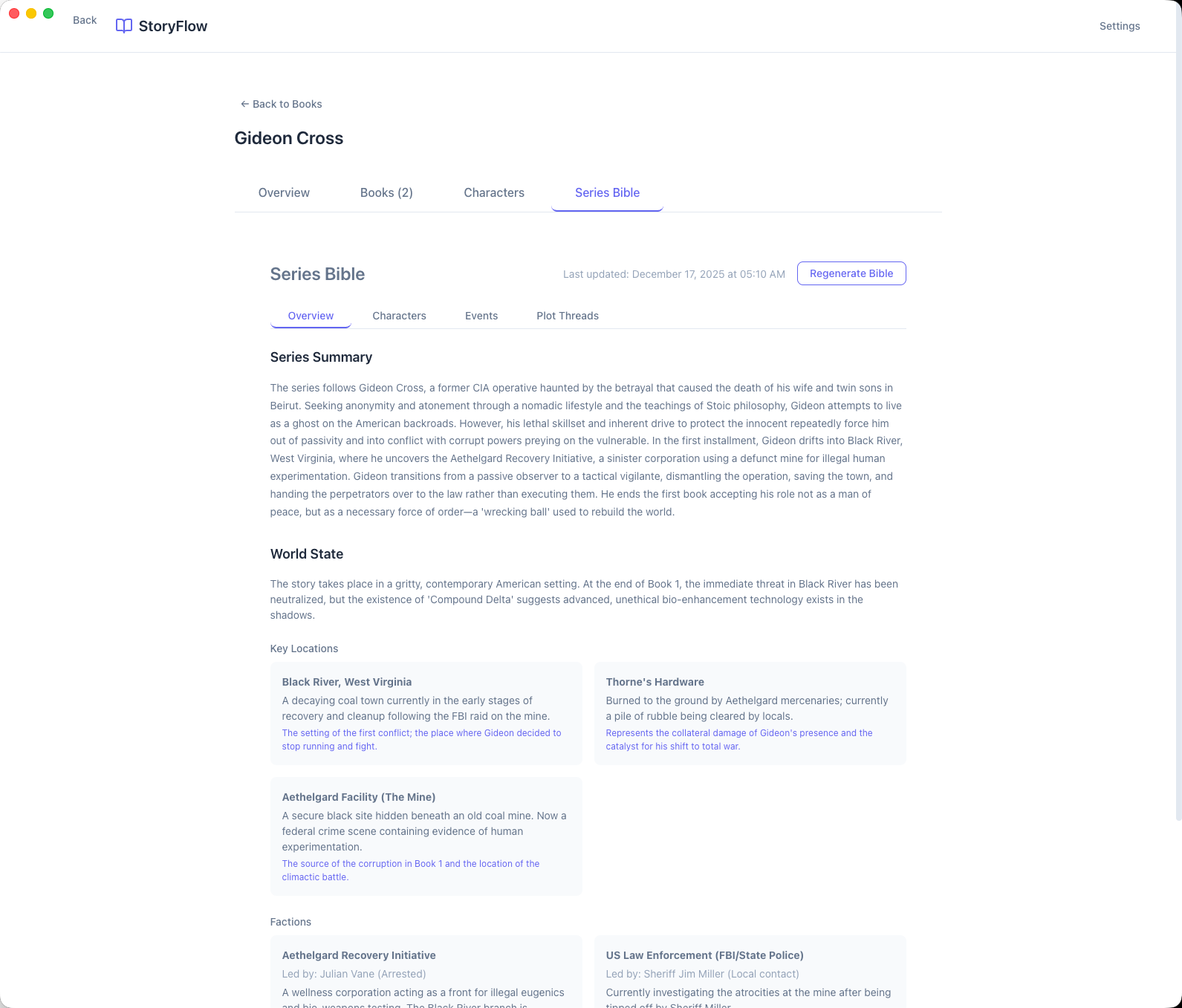
Write standalone novels or multi-book series. Series Bibles track world state, recurring characters, and plot threads across volumes.
The Tech Stack: Desktop-First with Modern Tooling
Electron + React + TypeScript
Electron provides the desktop runtime with native OS integration—menu bars, file system access, auto-updates. React handles the UI with a familiar component model, while TypeScript catches errors at compile time. The three-process architecture (main, renderer, preload) follows Electron security best practices.
SQLite with better-sqlite3
Local-first means the database lives on the user's machine. SQLite provides reliable, portable persistence in a single file. The synchronous API of better-sqlite3 simplifies data access—no async/await ceremony for simple queries. Database location is configurable, supporting migration to Documents folder for iCloud sync.
Google Gemini API
AI powers every phase of the writing workflow. Gemini handles brainstorming conversations, outline generation, character profile creation, and chapter writing with streaming responses for real-time feedback. The GeminiService wraps both text and image generation capabilities.
Vite + Electron Forge
Vite provides lightning-fast development builds with hot module replacement. Electron Forge handles packaging for macOS (DMG, universal), Windows (Squirrel), and Linux (DEB). Three separate Vite configs compile main process, renderer, and preload script independently.
shadcn/ui + Tailwind CSS
Radix UI primitives provide accessible, composable components. Tailwind utility classes keep styling consistent and maintainable. The result: a clean, professional UI that feels native to macOS while working identically on Windows and Linux.
The Architecture: Electron Multi-Process Design
Electron's security model enforces process isolation. StoryFlow follows the recommended three-layer architecture:
- Main Process: Node.js environment running
main.ts. Manages app lifecycle, creates windows, handles system APIs and database access. - Renderer Process: Browser environment running the React app. Isolated from Node.js APIs for security—can't access filesystem directly.
- Preload Script: Secure bridge exposing a curated
window.apiobject. All IPC flows through typed channels.
IPC Communication Flow
Every feature follows the same pattern: Renderer → Preload API → IPC Handlers → Services → Database
// Renderer calls through window.api
const book = await window.api.books.create({
  title: "My Novel",
  genre: "Thriller"
});

// IPC handler in main process
ipcMain.handle('books:create', async (event, data) => {
  return BookWritingService.createBook(data);
});

// Service interacts with database
BookWritingService.createBook(data) {
  const db = getDatabase();
  return db.prepare('INSERT INTO books...').run(data);
}
Service Layer Architecture
The main process organizes logic into dedicated services:
- BookWritingService: Core workflow orchestration, CRUD operations, AI prompt management
- GeminiService: Google Gemini API wrapper for text/image generation with streaming
- SeriesService: Multi-book series management, Series Bible generation
- BookPdfExportService: PDF generation with pdf-lib, cover integration
- BookEpubExportService: EPUB generation for e-readers
- FinishBookJobManager: Background job management for batch chapter generation
- BookPublishingService: Integration with the StoryFlow bookstore backend
The 5-Phase Writing Workflow
StoryFlow guides authors through a structured workflow where each phase builds on the previous:
Brainstorm
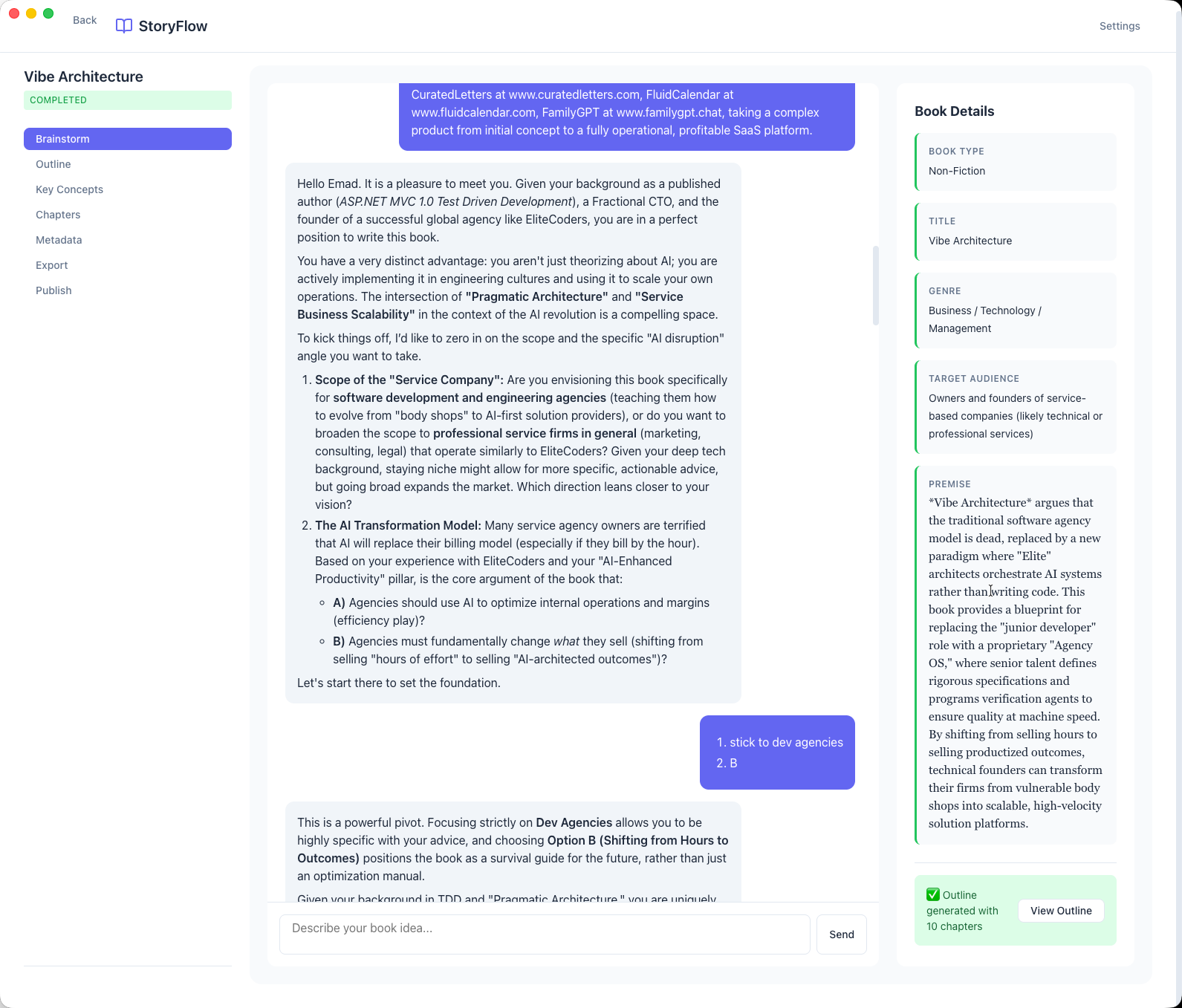
Chat with AI to develop your book concept. The AI asks thoughtful questions about genre, themes, target audience, and core conflicts. A three-column layout shows the conversation, emerging book details, and a summary of decisions made.
Outline
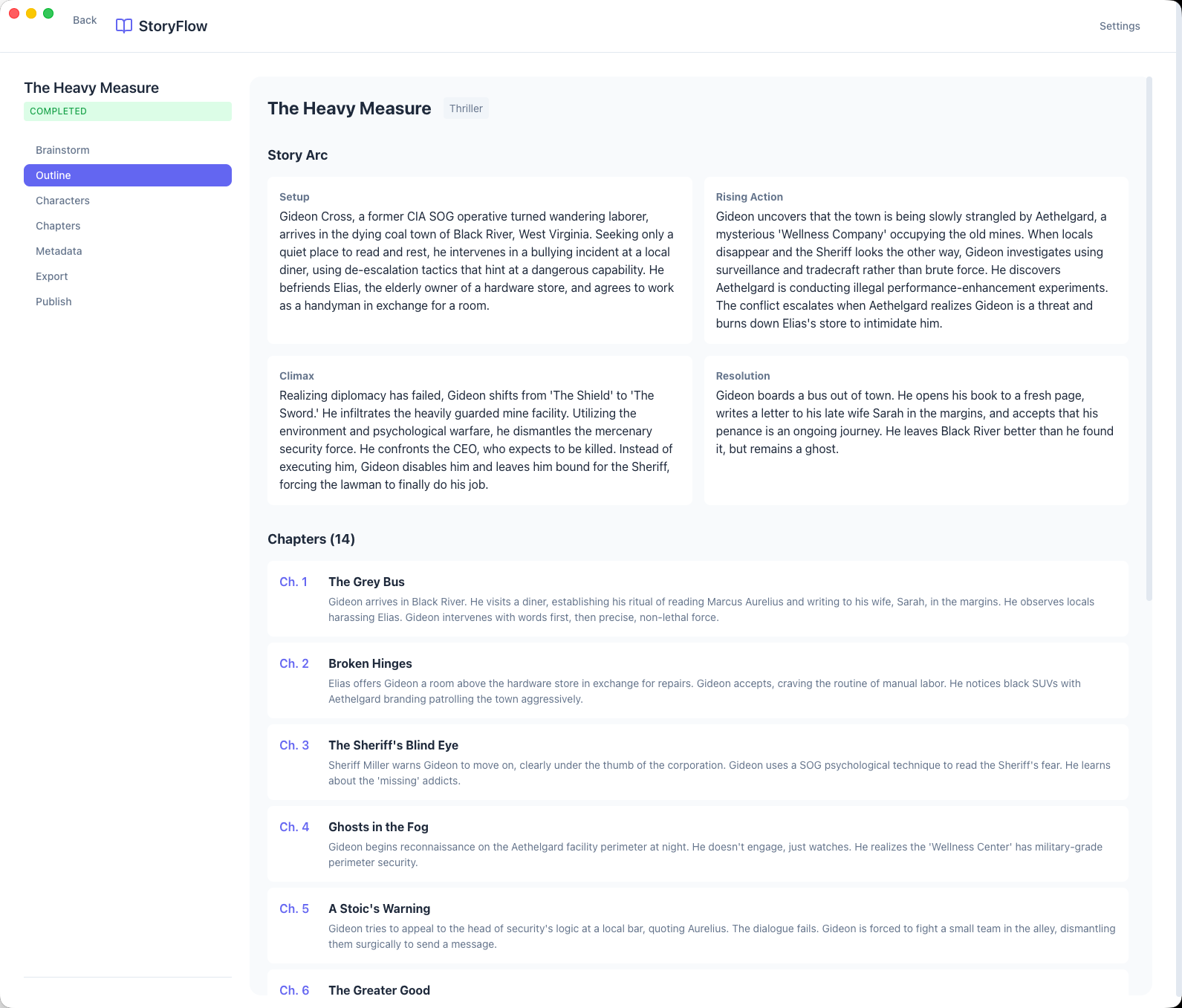
Generate a detailed chapter-by-chapter outline based on your brainstorming session. Story arc cards show Setup, Rising Action, Climax, and Resolution. Each chapter includes a title and synopsis. You can regenerate, reorder, or manually edit any section.
Refine
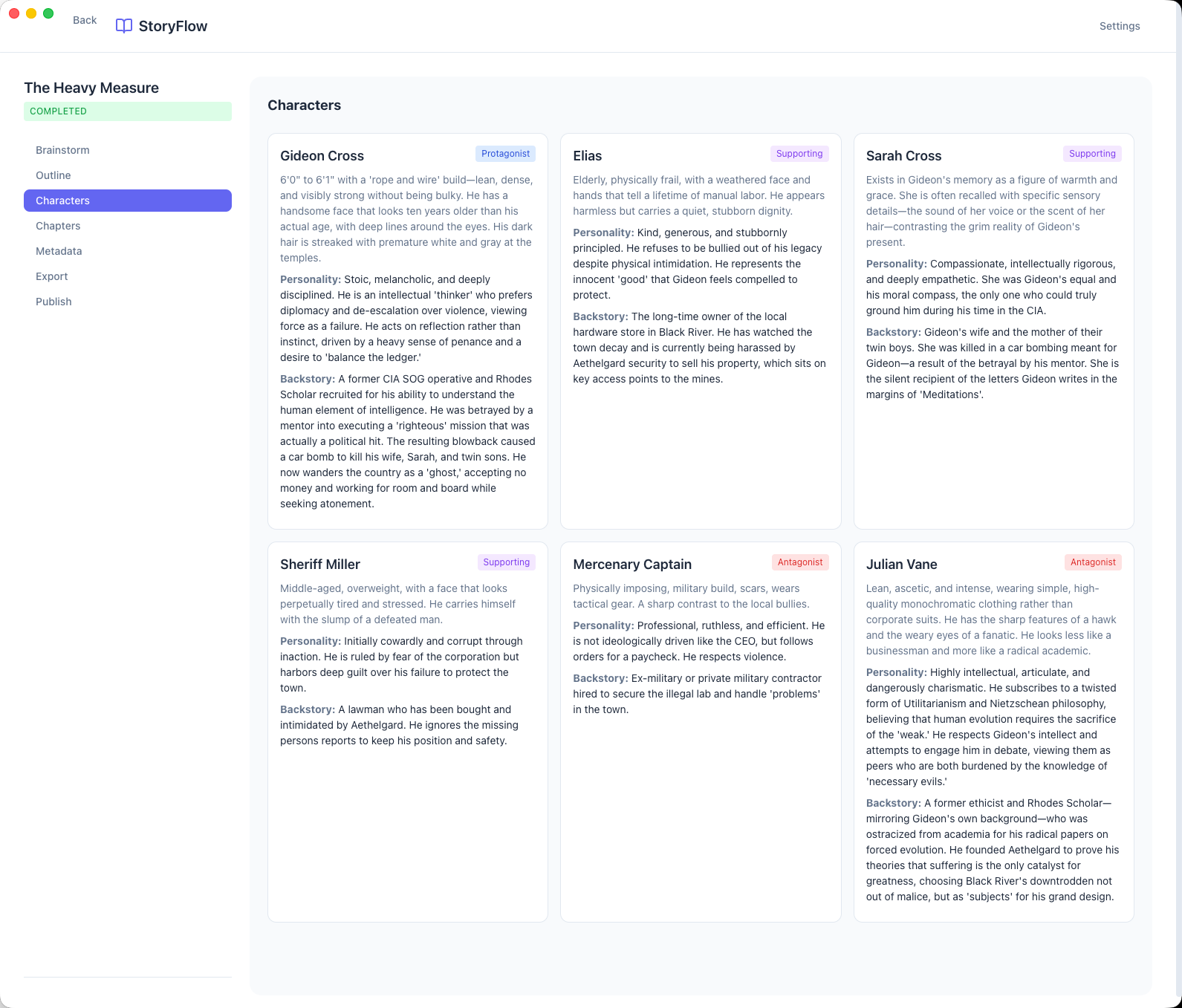
Develop characters with AI-generated profiles including physical descriptions, personality traits, backgrounds, and story arcs. Character cards display roles (Protagonist, Antagonist, Supporting) with editable fields. Characters are tracked across chapters.
Write
Generate chapters one at a time or batch-generate your entire book with the "Finish Book" feature. AI maintains consistency with previous chapters, character details, and your established style. Story validation checks for plot holes and character inconsistencies with suggested revisions.
Publish
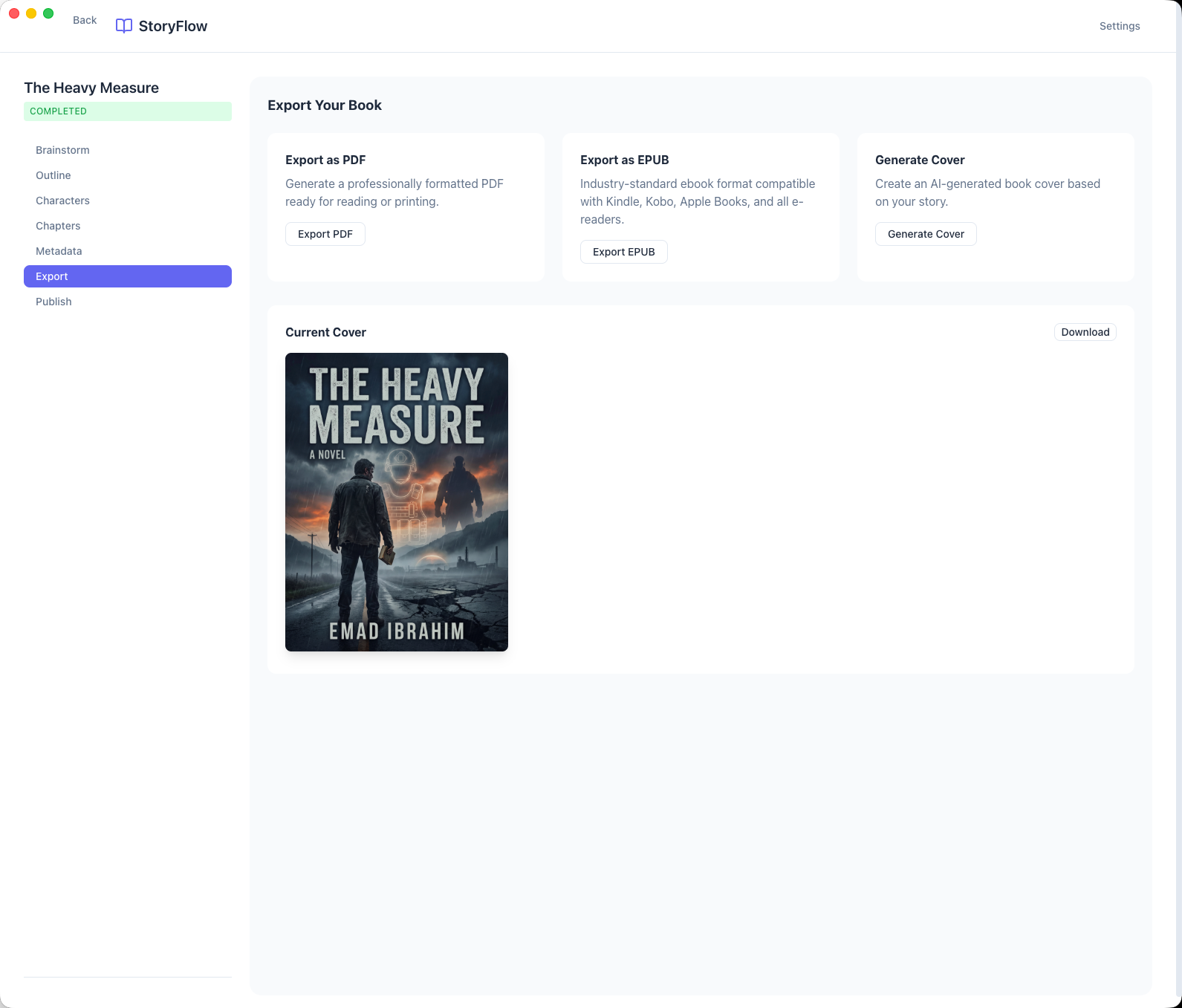
Export as professionally formatted PDF or EPUB. Generate AI book covers with custom prompts. Publish directly to the StoryFlow Bookstore where readers can preview and purchase your work—all from within the desktop app.
The Database Architecture: Local-First with Sync Support
SQLite handles all persistence with a carefully designed schema supporting books, series, chapters, characters, and more:
Core Tables
- books: Title, genre, status, premise, outline, word count targets
- book_chapters: Chapter content, status (draft, revised), word counts, order
- book_characters: Name, role, physical/personality traits, backstory, arc
- book_landing_pages: Published book metadata for the bookstore
- settings: User preferences, API keys, database configuration
Singleton Connection Pattern
SQLite requires careful connection management to avoid "database is locked" errors:
// ALWAYS use the singleton from connection.ts
import { getDatabase, generateId } from '../database/connection';
const db = getDatabase();

// NEVER create direct connections
import Database from 'better-sqlite3';
const db = new Database(path); // BREAKS EVERYTHING
Database location is configurable via db-config.json. Users can migrate to~/Documents/StoryFlow/ for automatic iCloud sync on macOS.
The AI Integration: Context-Aware Writing Assistance
Google Gemini powers every phase of the workflow. The challenge: maintaining context and consistency across a 50,000+ word novel.
Prompt Engineering Architecture
All AI prompts are centralized in bookWritingPrompts.ts. Each operation builds context from:
- Book metadata: Genre, target audience, themes, premise
- Outline: Full chapter structure with synopses
- Character profiles: All characters with their arcs and relationships
- Previous chapters: Summaries or full text of chapters already written
- Series context: For multi-book series, previous book summaries and world state
Streaming Responses
Long-form content generation uses streaming for real-time feedback:
// Stream chapter content as it generates
const stream = await geminiService.streamText(prompt);

for await (const chunk of stream) {
  // Send chunk to renderer via IPC
  mainWindow.webContents.send('chapter:chunk', {
    chapterId,
    content: chunk.text
  });
}
Story Validation
AI validates completed chapters for consistency issues: timeline contradictions, character trait violations, unresolved plot threads. Suggestions appear in a validation panel with one-click "Revise with AI" to apply fixes while preserving author intent.
The Series Feature: Multi-Book Consistency
Writing a series is harder than standalone novels—you must track world state, character evolution, and plot threads across multiple books.
Series Bible Generation
When you create a series, StoryFlow generates a Series Bible with:
- Series Summary: Overarching plot, themes, and stakes
- World State: Setting details, rules, constraints
- Key Locations: Places that recur across books
- Factions: Organizations, groups, power structures
- Character Tracking: Characters promoted to series-level with evolution notes
- Plot Threads: Unresolved threads carried between books
The Series Bible updates after each book completes. When starting a new book in the series, AI receives full series context to maintain consistency while advancing the story.
Inside StoryFlow: A Visual Tour
Book Library & Series Management
The library view shows all your books organized by series. Create standalone novels or multi-book series with the "+ Write Next Book" action. Status badges track progress from draft to published.

AI-Powered Brainstorming
The three-column brainstorming interface: chat with AI on the left, book details updating in real-time on the right, with a summary panel showing decisions made. The AI asks thoughtful questions to develop your concept.
Story Outline
Story arc cards (Setup, Rising Action, Climax, Resolution) plus detailed chapter list with synopses.
Character Management
AI-generated character profiles with roles, traits, and story arcs tracked across chapters.
Chapter Editor with AI Validation
Three-pane chapter editor: chapter list with status badges, main reading/editing area with word count, and Story Validation panel showing consistency checks with "Revise with AI" actions.

Export Options
Export as PDF, EPUB, or generate AI covers for your finished book.
Publish to Bookstore
Publish directly to the StoryFlow Bookstore with pricing and metrics.

Series Bible
Track world state, locations, factions, and plot threads across books.
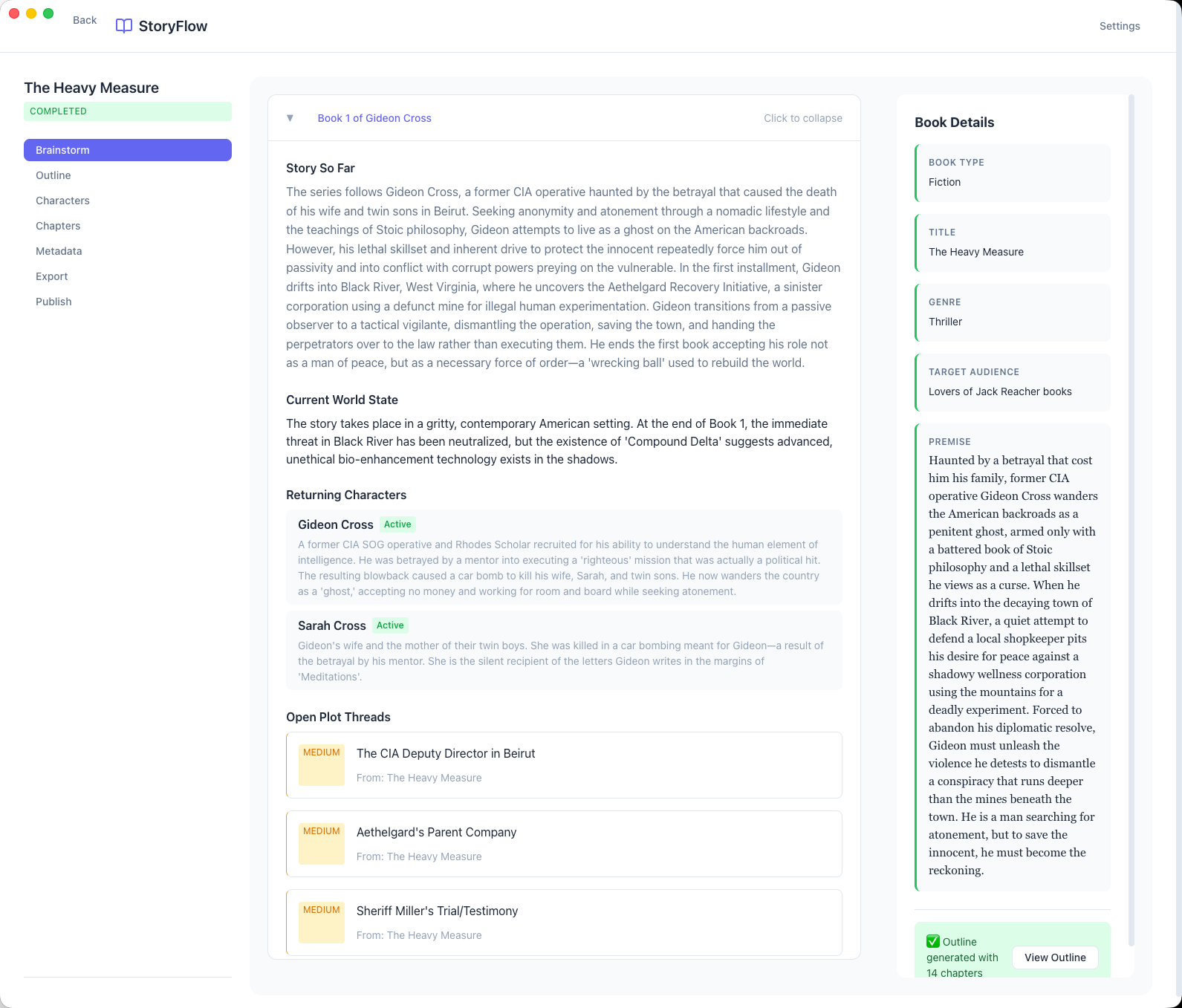
Series Continuation Context
When writing the next book in a series, StoryFlow displays Story So Far, Current World State, Returning Characters, and Open Plot Threads—ensuring perfect continuity across volumes.
The Challenges and Trade-Offs
1. Token Context Window Management
A 14-chapter novel with full character profiles can exceed Gemini's context window. The solution: intelligent context compression. Previous chapters are summarized; only the most recent chapters include full text. Character profiles are condensed to key traits. Series context uses rolling summaries rather than complete previous books.
2. Maintaining Voice Consistency
AI-generated prose can sound generic. StoryFlow extracts style indicators from the brainstorming phase—sentence length preferences, narrative perspective, pacing style—and includes them in every generation prompt. Authors can also provide "voice samples" that influence the AI's output.
3. Auto-Update Infrastructure
Desktop apps need update mechanisms. Electron Forge + electron-updater handle code signing, update server configuration, and delta updates. GitHub Releases hosts artifacts. The app checks for updates on launch and offers one-click installation.
4. Cross-Platform Consistency
macOS, Windows, and Linux have different filesystem conventions, menu bar behaviors, and UI expectations. Careful abstraction in the main process handles platform differences while the React renderer remains consistent.
The Results: From Idea to Book
Traditional Book Writing
- Concept development: Weeks of uncertainty
- Outlining: Days of staring at blank pages
- Character sheets: Scattered across documents
- First draft: Months of inconsistent progress
- Total: 6-12 months to complete
With StoryFlow
- Concept development: 30 minutes of guided brainstorming
- Outlining: 10 minutes of AI generation + refinement
- Character sheets: Auto-generated, always accessible
- First draft: Days with "Finish Book" automation
- Total: A complete draft in days
StoryFlow transforms book writing from an overwhelming journey into a structured, achievable process.
Technical Highlights
Conclusion: AI as Writing Partner
StoryFlow demonstrates that AI can be more than a text generator—it can be a thoughtful creative partner that understands the complete arc of a project. By structuring the writing process into phases, maintaining context across 50,000+ words, and providing validation at every step, AI helps authors focus on creative decisions rather than mechanical consistency.
The local-first architecture means authors own their work completely. No subscriptions, no cloud lock-in, no data sent anywhere except the AI API for generation. SQLite provides reliability; optional iCloud sync through Documents folder enables multi-device access.
Building StoryFlow taught me that the best AI tools don't replace human creativity—they amplify it. The brainstorming phase asks questions authors might not think to ask. The validation phase catches inconsistencies that would otherwise require multiple editing passes. The Series Bible maintains world-state that would otherwise live in scattered notes.
The result: more books completed, with better consistency, in less time. That's the promise of AI-assisted creativity—and StoryFlow delivers on it.
Tech Stack Summary
Frontend: React 19, TypeScript, shadcn/ui, Tailwind CSS, React Router
Backend: Electron 38, Node.js, better-sqlite3, Vite
AI: Google Gemini API for text generation, image generation, streaming responses
Export: pdf-lib for PDF generation, epub-gen for EPUB, Sharp for image processing
Infrastructure: Electron Forge, electron-updater, GitHub Actions, GitHub Releases
Web Backend: Next.js 16, Prisma, PostgreSQL, NextAuth.js, AWS S3
Want to Build Something Amazing Together?
If you're looking for an engineer who can build AI-powered desktop applications, design workflow-driven UX, and ship cross-platform software, let's talk.